infusing intelligence in oil extraction
pj Overview
frog and SLB partnered on an intensive 10-week sprint to define the ICAP product vision, establish the MVP feature set, and bring the concept to life through realistic, scenario-based prototypes.
Weeks 1–4: Immersion & Insight
The first phase focused on deeply understanding the context. We engaged with both internal stakeholders and external users to capture a wide spectrum of inputs:
Operational needs
Strategic business goals
Pain points in current workflows
Aspirations for future capabilities
This Immersive Research phase allowed the frog team to:
Shape a long-term value proposition for ICAP
Define a strategic workflow framework to identify high-impact areas for the MVP
Align on what success looks like—both for users and for the business
Weeks 5–10: From Vision to Interaction
With clear priorities and insights in hand, we moved into design and prototyping. The team:
Translated MVP requirements into meaningful product interactions
Defined two key user stories to anchor design decisions
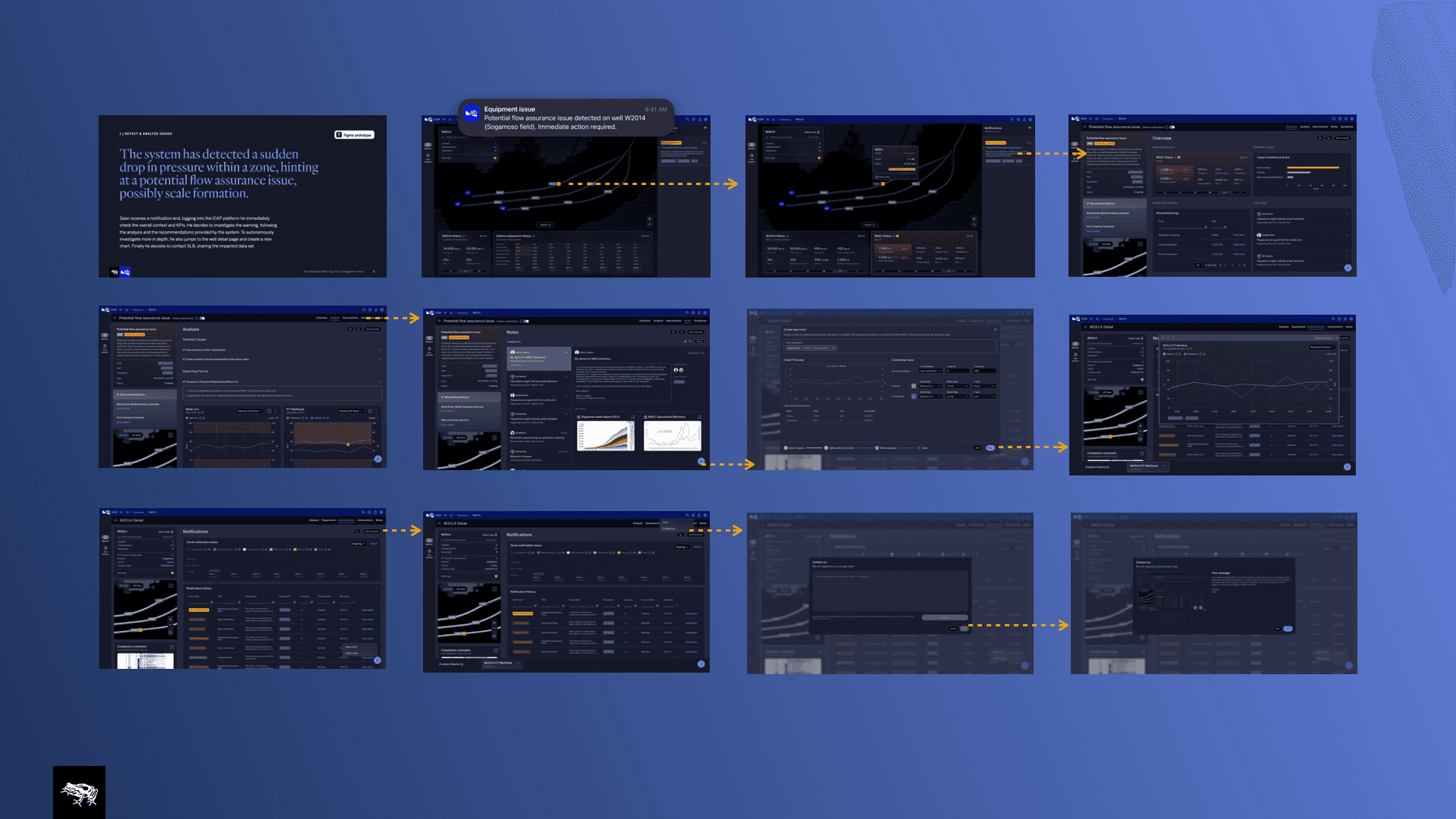
Crafted two end-to-end prototypes, illustrating how ICAP supports real-world user scenarios
Established the foundational product structure, including navigation, information architecture, and interaction patterns
A Vision That Brings Value to Life
Our goal was not just to redesign a tool—but to define a new product vision that brings SLB’s Intelligent Completion technology into the digital era.
This meant:
Revamping the UX and UI to meet modern usability standards
Enhancing data visualization, making complex datasets intuitive and actionable
Showcasing the intelligence of the technology through proactive, insight-driven design
And ultimately, enabling the business to unlock greater value from its digital investments
User Interviews
Deliverables
Research: What was blocking success?
Intelligent Completion (IC) technology enables operators to monitor and control the flow of fluids across different sections of an oil & gas well in real-time—delivering zonal measurements and minimizing unwanted fluid production with limited manual intervention.
However, having the hardware alone is not enough. Software is the true enabler of this technology. It’s what transforms raw data into actionable insight, turning advanced equipment into an intelligent, decision-driving system.
The Challenge
To unlock the full value of Intelligent Completions, we needed to understand:
How, when, and why the digital tool makes a difference across the end-to-end journey
What scenarios offer the most impact for different stakeholders
Which activities and workflows the tool should support
And ultimately, how to craft an experience that is both powerful and usable for everyone involved
Research & Discovery
We gathered insights from a diverse set of internal stakeholders and external users, allowing us to define both short- and long-term value propositions and outline the key features needed to bring those to life.
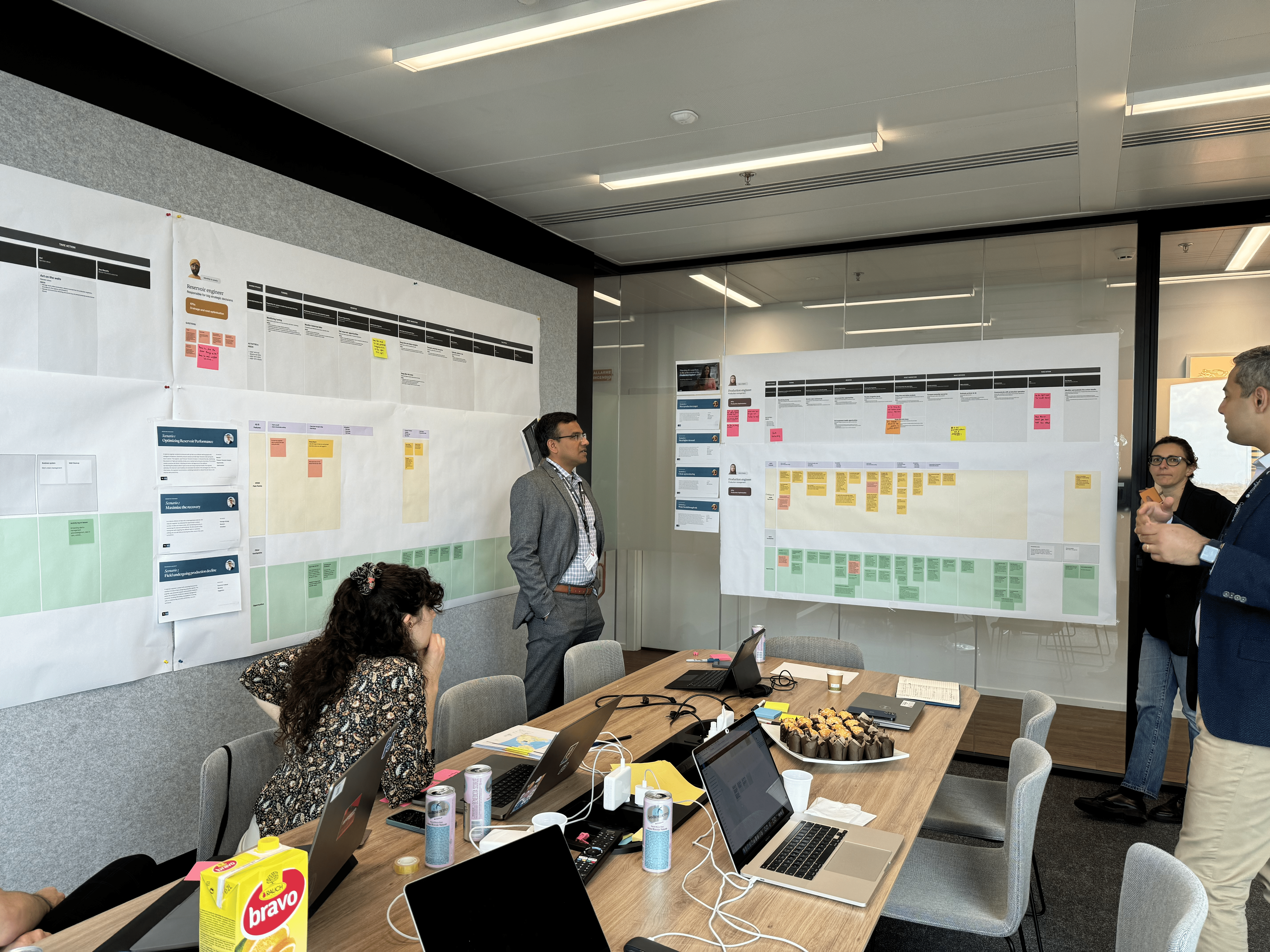
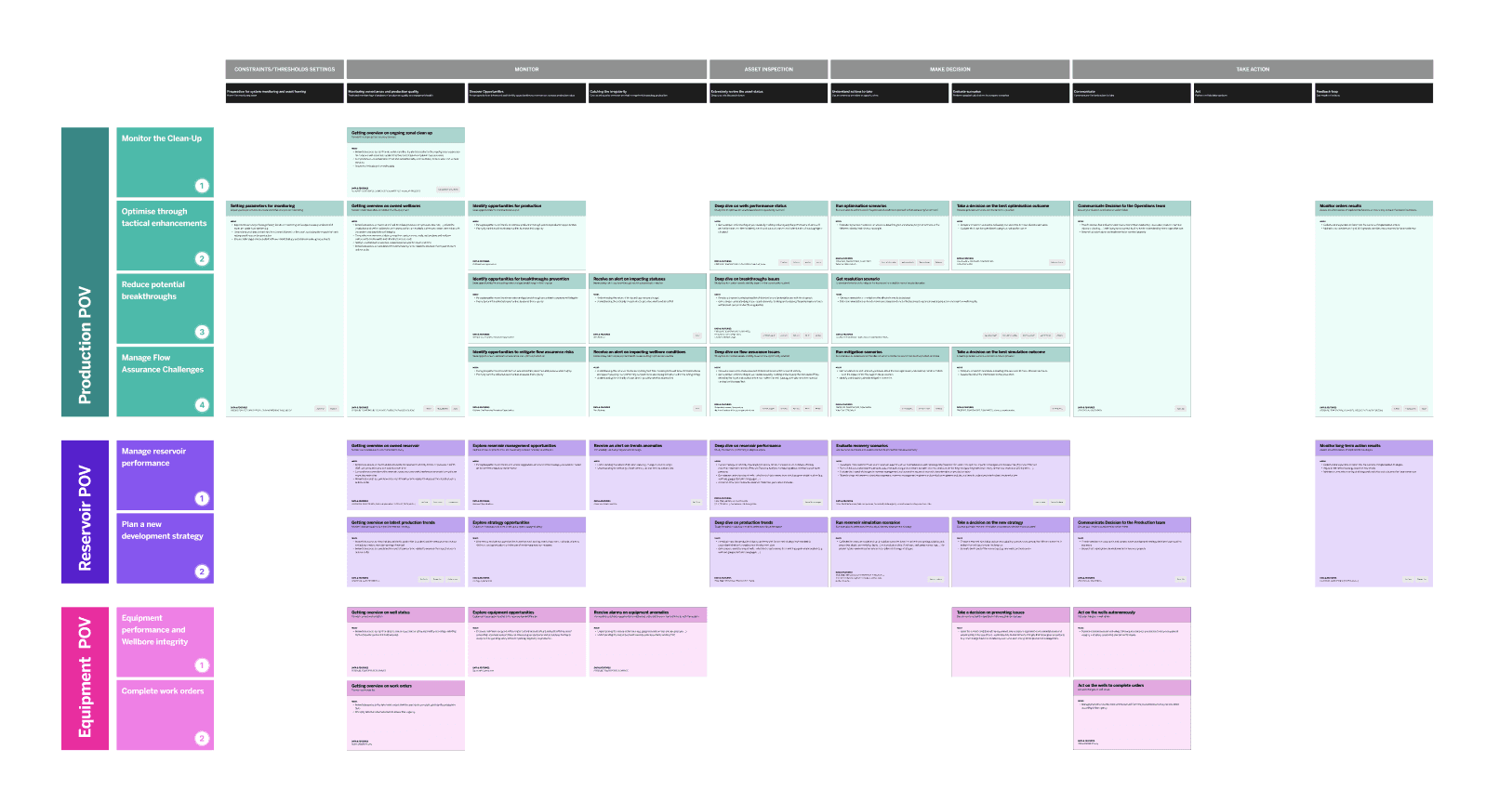
Using user journey mapping, we built a comprehensive framework that mapped out the major workflows. From this, we identified the three workflows with the highest user impact, which became the foundation of our product strategy.
from INSIGHTS to delivering a disruptive, intelligent tool vision
Managing an oil well is no simple task. It involves a complex interplay of data, safety protocols, business priorities, and high-stakes decision-making. To design a meaningful solution, we knew we had to first understand the industry, the users, and the business behind it.
As designers, this was one of the most challenging domains we’d ever tackled—but by the end, we proudly considered ourselves oil & gas nerds.
A Dual Approach to Research
To build empathy and insight, we split our efforts across two parallel research tracks:
User & Stakeholder Interviews
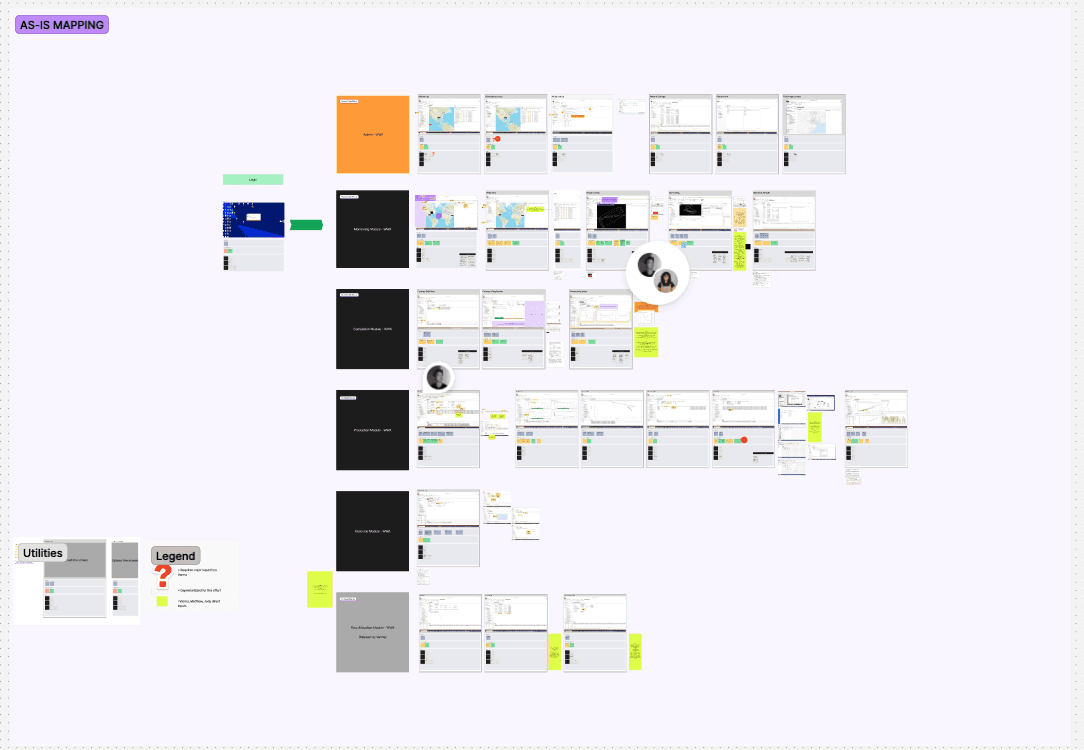
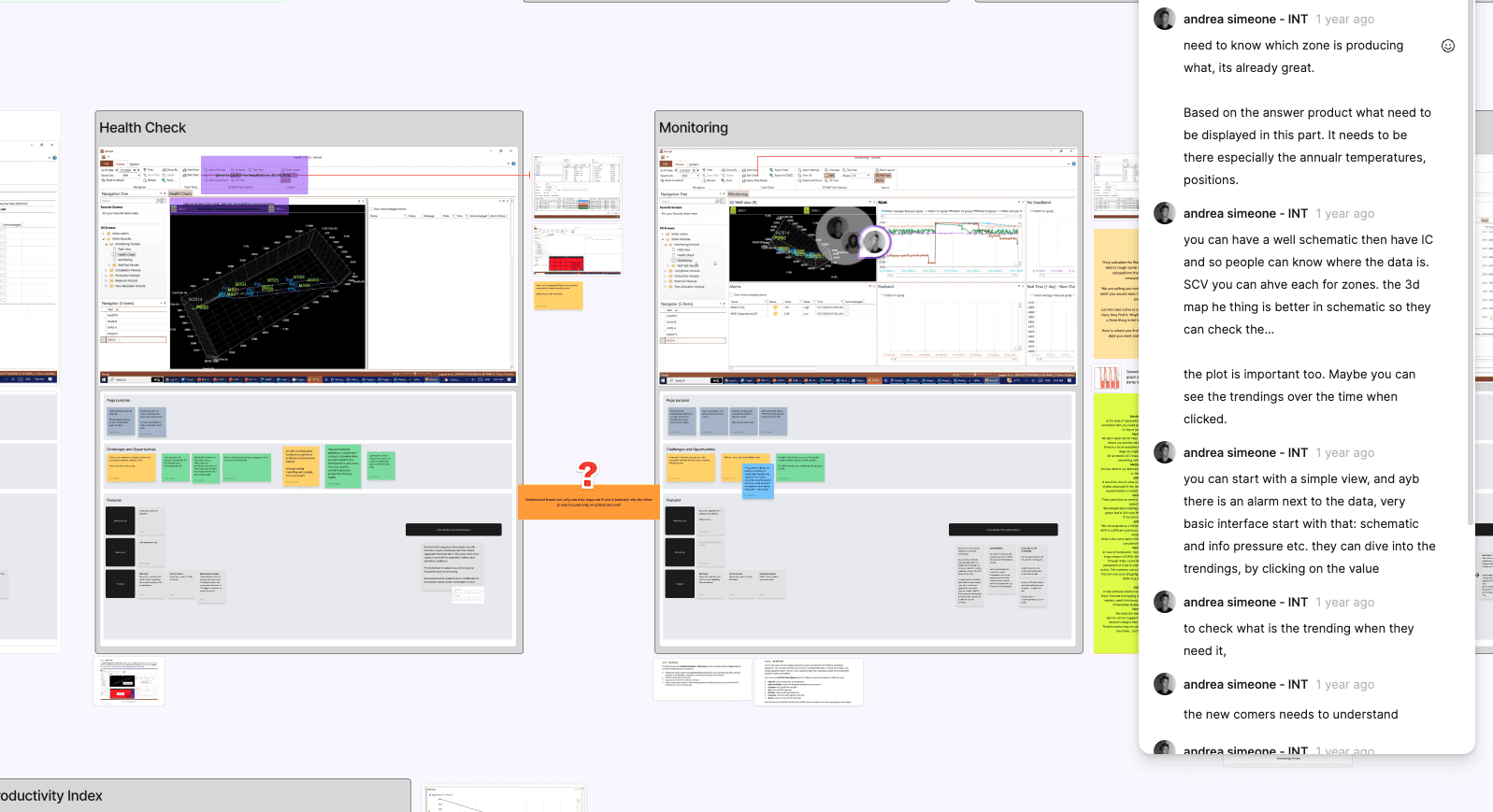
We conducted in-depth conversations with both end users and business stakeholders. This helped us surface the strategic needs of the business alongside the daily frustrations, goals, and workflows of those working on the ground.UX Audit of the Existing Tool
At the same time, we analyzed the legacy platform to map out its core flows, identify friction points, and highlight potential areas of improvement. These findings were brought back to users for validation, ensuring that our understanding aligned with their lived experience.
This combined research approach allowed us to build a grounded, user-validated foundation from which we could start reimagining the experience. It also helped us spot opportunities for innovation—places where design could simplify, clarify, and empower.
Our success was grounded in a complex user matrix—a tool we developed and continuously refined as we gathered feedback throughout the project. At the foundation of this matrix was a user journey map, structured around five key macro-steps that defined the lifecycle of interaction with the tool:
Set Thresholds
Monitor
Inspect Asset
Make Decision
Take Action
This journey map helped us organize both insights and success metrics along the experience of different user types. By doing so, we were able to identify critical user flows and design vision prototypes that responded directly to real-world needs.
Moving Beyond Personas
Rather than relying on traditional personas—which proved too rigid and generalized for the fluid nature of roles in the oil & gas industry—we adopted a more flexible, Point-of-View (POV) lens. This approach allowed us to better frame user needs in a landscape where roles often shift significantly between organizations and contexts.
We ultimately defined three primary POVs:
Reservoir-Focused Users
Responsible for maximizing reservoir health and long-term asset sustainability.Field Operators / Site Personnel
Focused on ensuring equipment safety and operational continuity on the ground.Production-Focused Users
Driven by KPIs related to maximizing output and efficiency.
Each POV carried its own set of horizontal sub-tasks—measurable actions or objectives that defined success within that role. By cross-referencing these sub-tasks with our five macro-steps, we were able to build a comprehensive experience journey map.
From Journey to Impact
This matrix-driven approach enabled us to isolate two key experience flows that best illustrated the transformational impact of the new digital tool. These flows became the backbone of our vision prototypes, serving as proof-of-concept for how ICAP could revolutionize workflows, reduce friction, and enhance decision-making across user types.
The final product
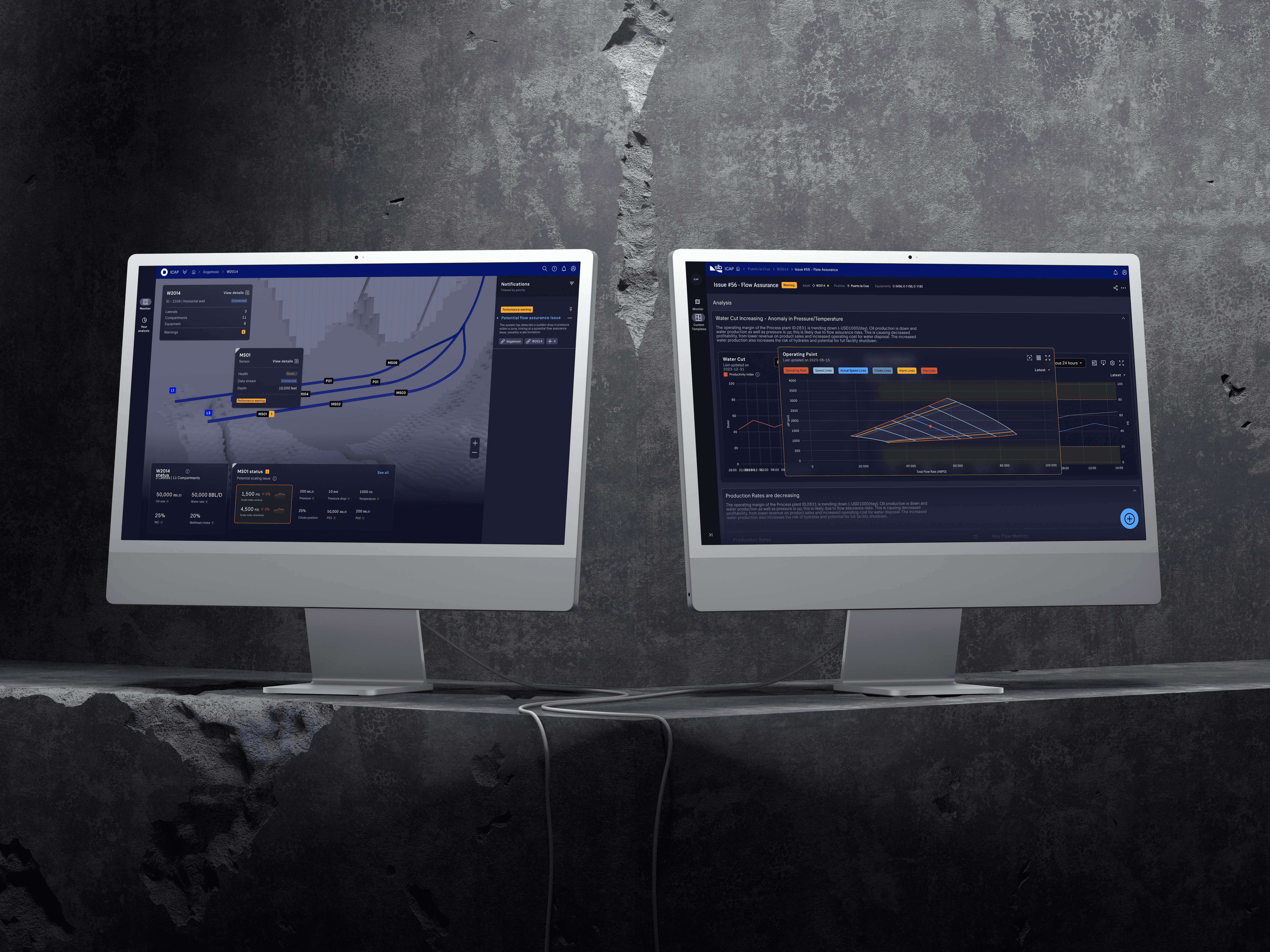
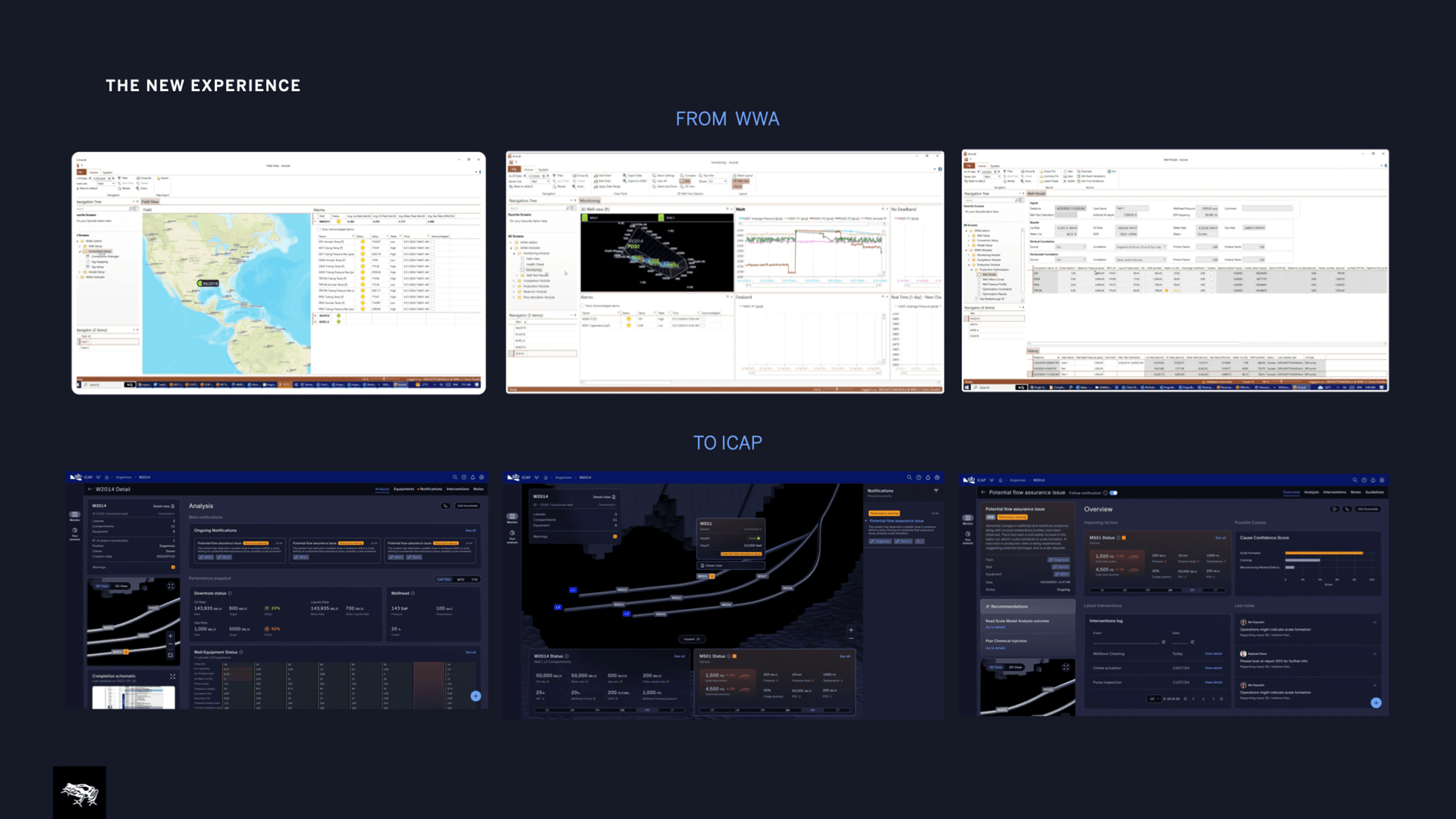
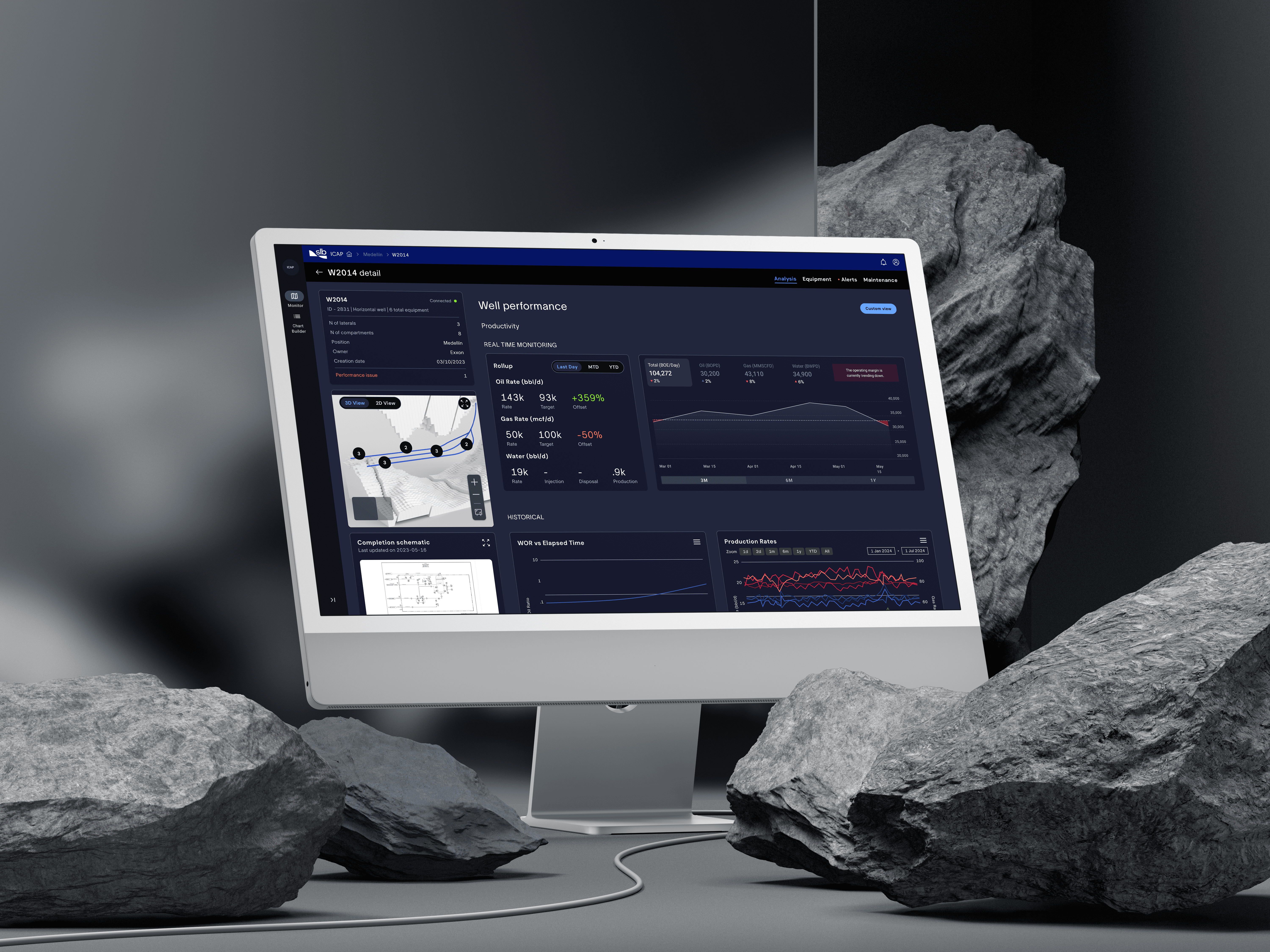
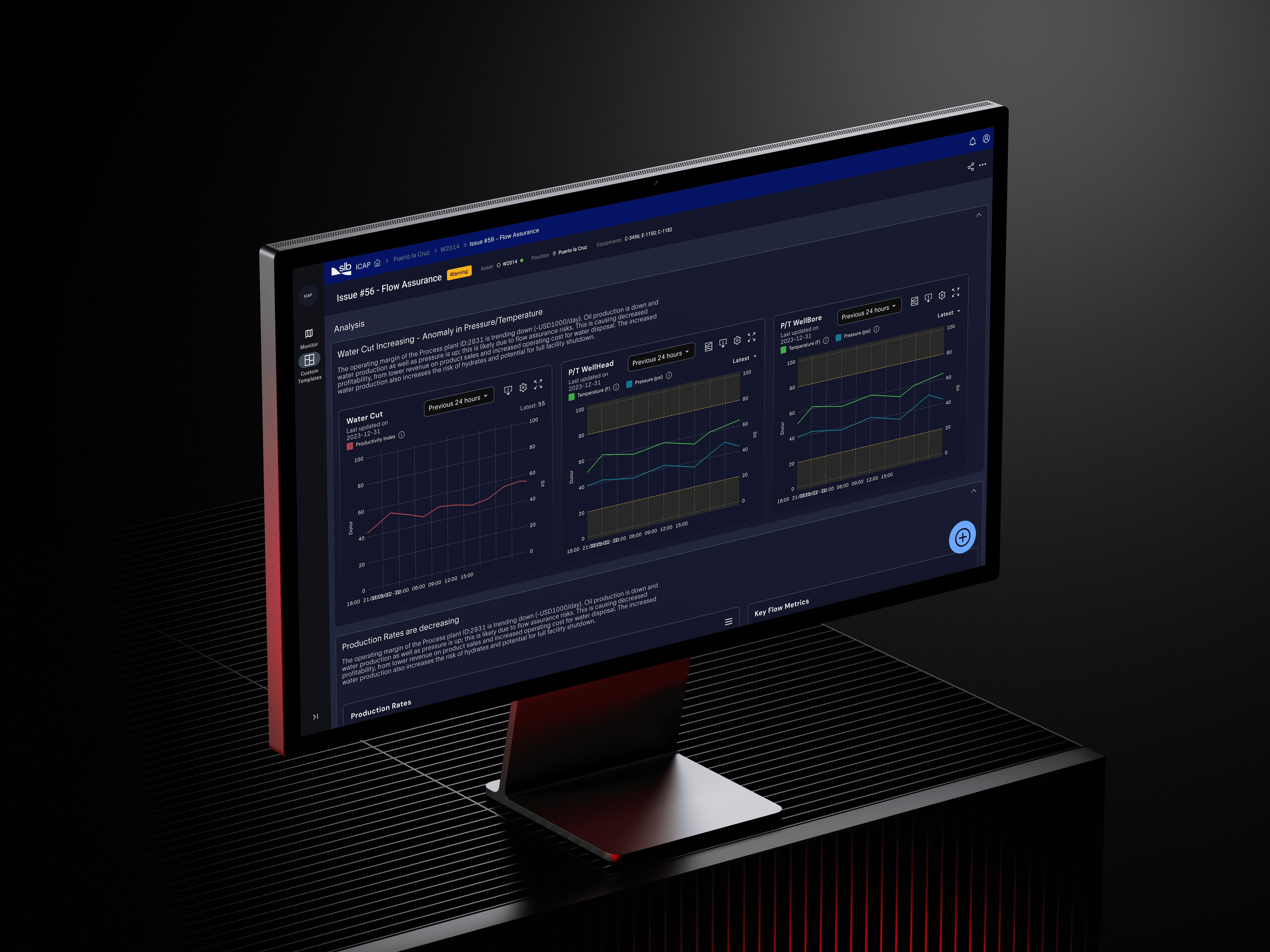
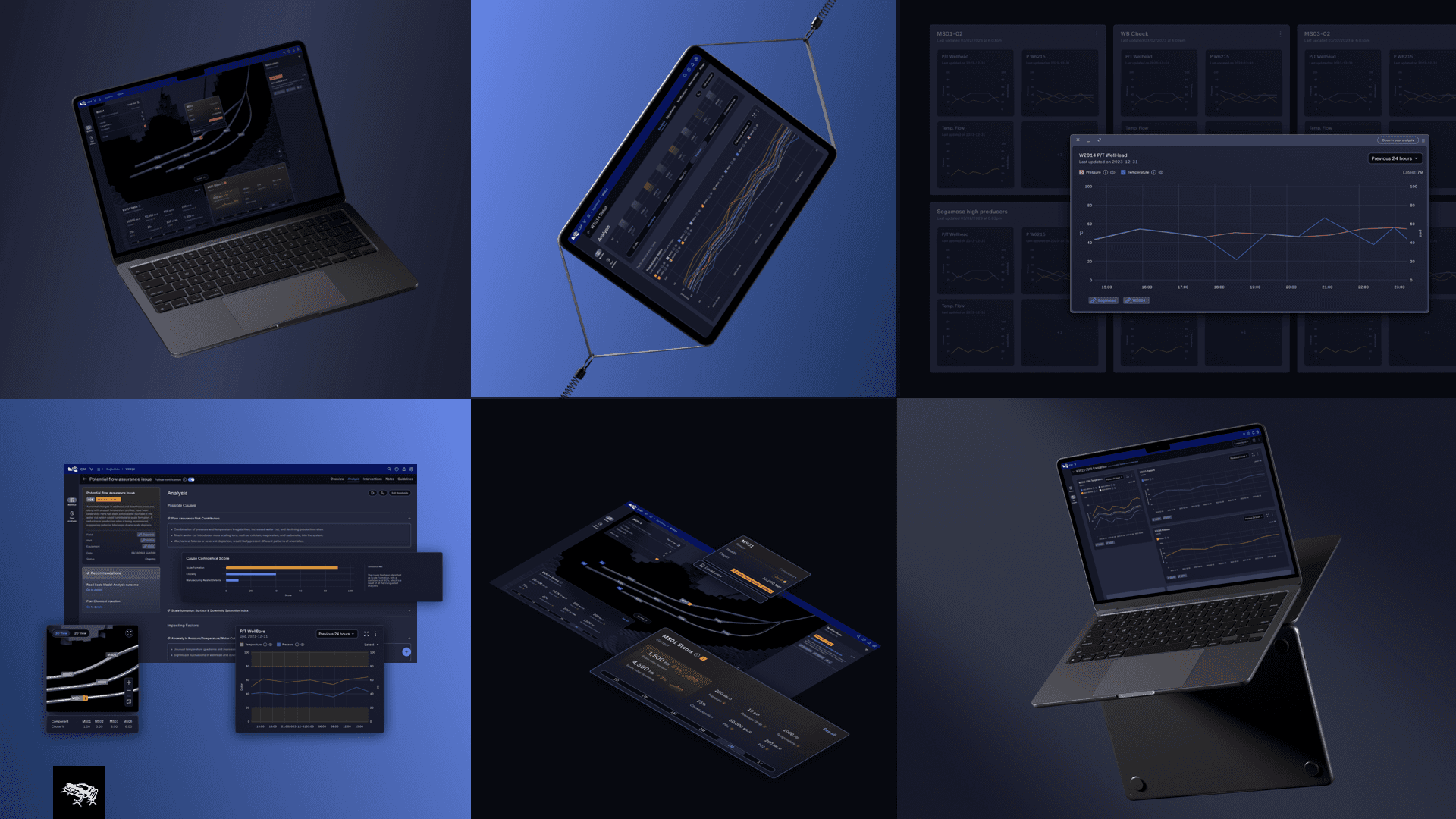
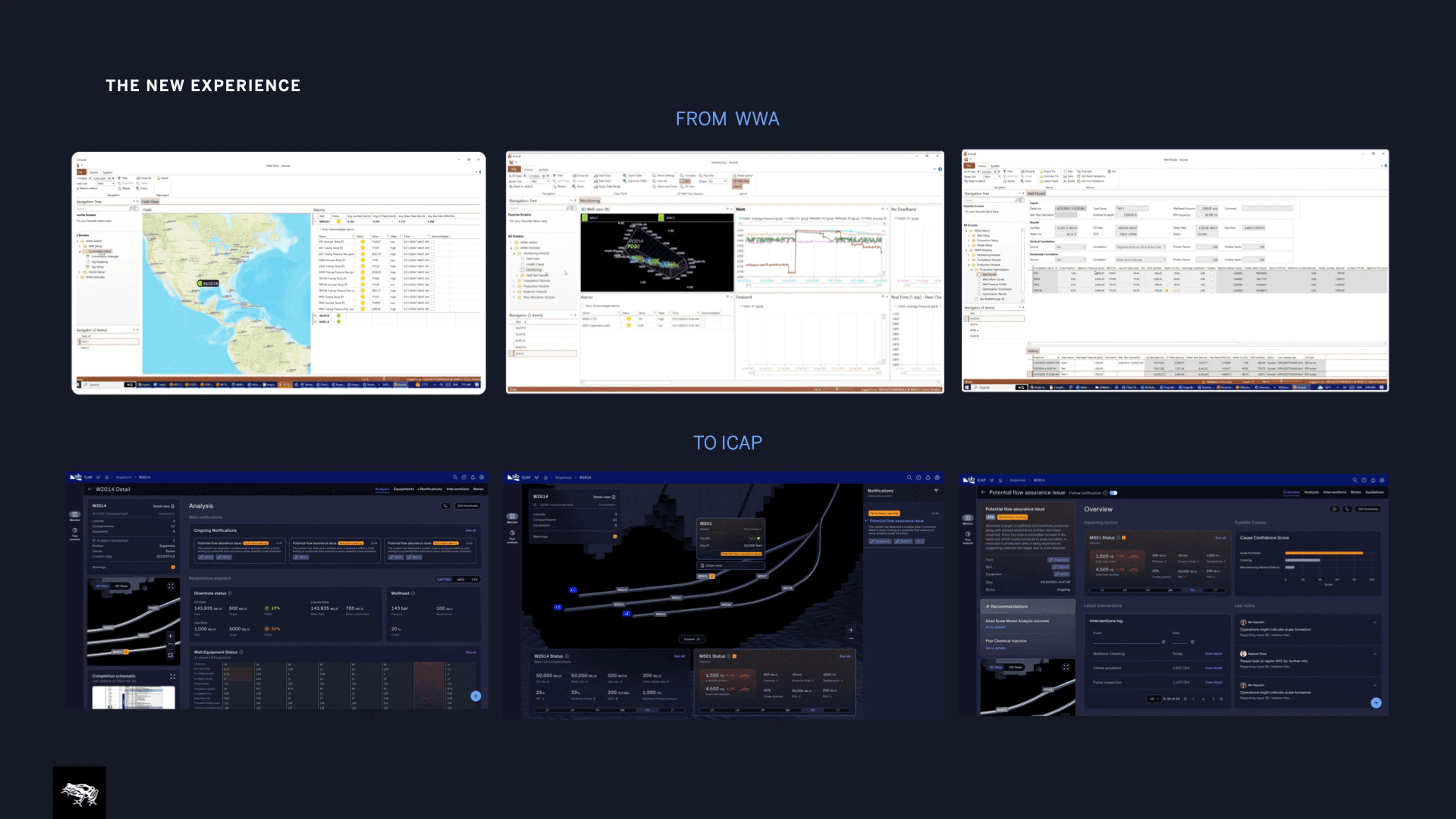
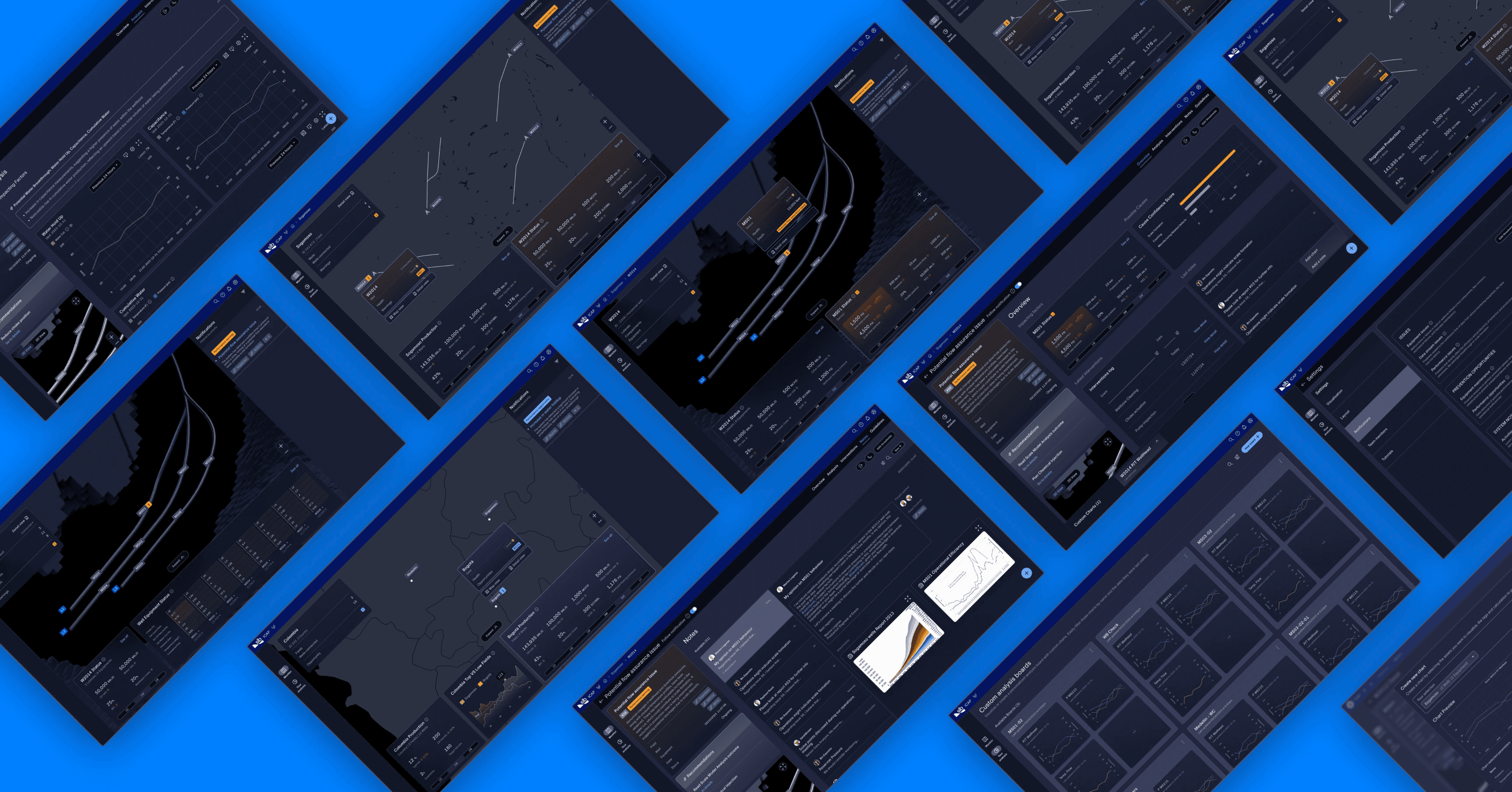
Our redesigned experience transforms the legacy WWA tool into ICAP, a modern, intelligent platform that converts complex data into actionable, easy-to-understand insights.
Key Improvements:
1. Simplified, Immersive Navigation
We moved away from the Excel-heavy, folder-based interface of WWA and introduced a three-level, scroll-driven navigation system that reduces friction and enhances user engagement:
Field Level: Offers a high-level geographic overview with relevant KPIs and metrics always visible.
Well Level: As users zoom in, the interface adapts to display data for a specific well, contextualized and actionable.
Equipment Level: Individual equipment is clearly summarized, providing targeted insights and actions at the user’s fingertips.
2. Interactive & Intelligent Data Visualization
Each asset is now responsive and interactive, communicating insights through:
Dynamic widgets
Custom, proactive AI analyses
Smart data rendering that enables real-time filtering, interpolation, and transformation
Users can now create their own tables, calculations, and custom views through the "Your Analysis" section, empowering them to shape data to their specific needs.
3. From Pen-and-Paper to Instant Digital Calculations
Manual calculations are replaced with built-in mathematical capabilities:
Users can perform calculations directly within the tool
Generate instant plots and visualizations from raw data
All without needing to leave the platform
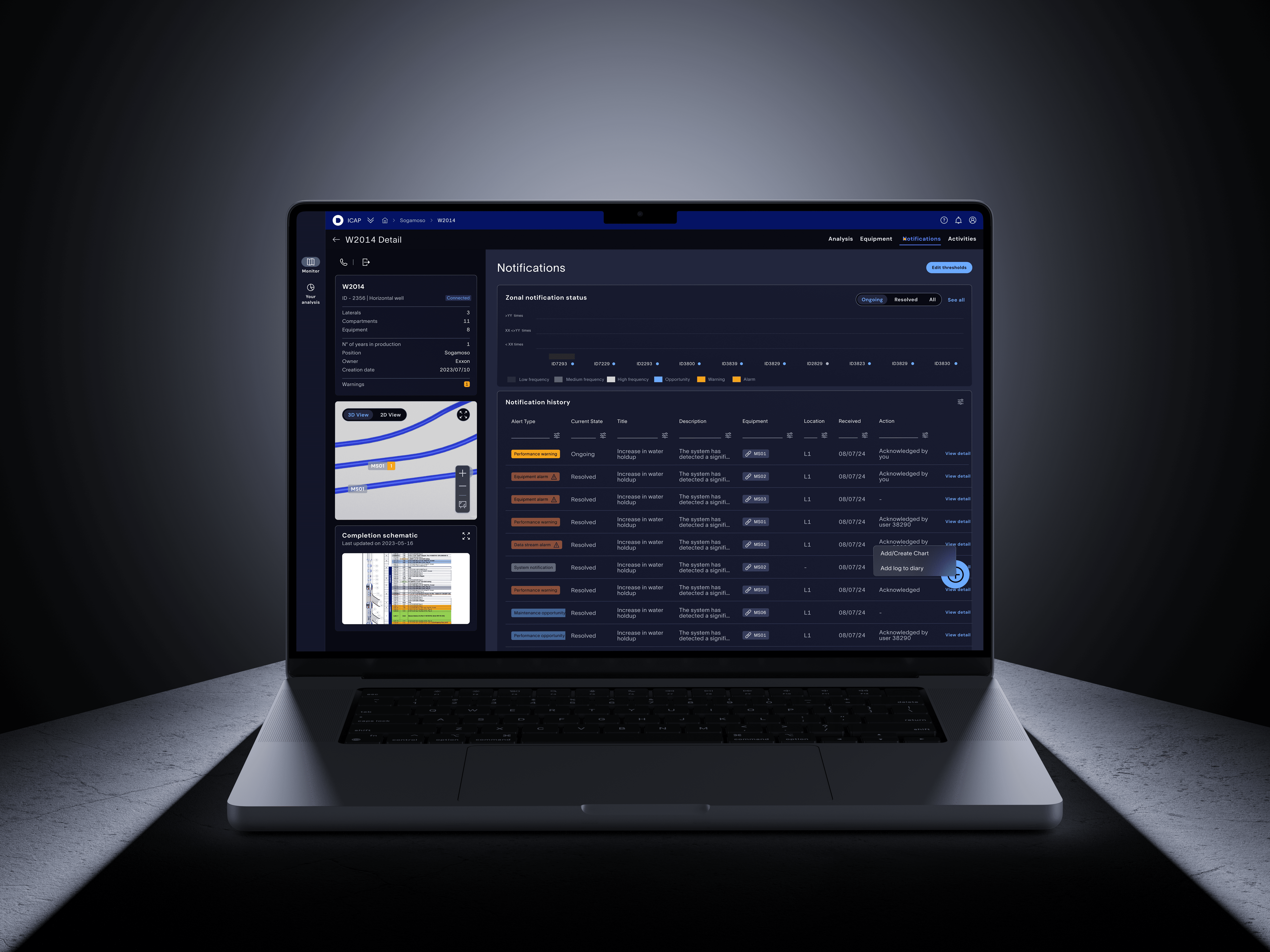
4. Proactive Alerts & Monitoring System
ICAP includes a robust, customizable notification engine:
Alerts users to above-threshold sensor or equipment activity
Supports custom thresholds, smart alerts, and automated notifications via:
In-app prompts
External devices
Email notifications